

The foundation: your Shopify customer segment
When you install the app, Genlook automatically creates a new customer segment in Shopify called “Virtual Try-On Users by Genlook”. You’ll find it in your Shopify admin under Customers → Segments. It uses a simple query:genlook-user and is automatically added to this segment.
If a shopper tries on an item anonymously (they aren’t logged in and haven’t provided an email), they won’t be added to the segment. We wait until they identify themselves before we attach activity to a customer profile.
How Genlook updates customer profiles
Along with the generalgenlook-user tag, Genlook enriches each customer’s profile with their specific try-on history:
Product-specific tags
We add a specific tag for each variant a customer tries on, formatted as
genlook-try-{productId}-{variantId}. This is perfect for creating highly targeted segments (like “customers who tried on the leather jacket”).Tried-on products metafield
We store a
list.product_reference metafield ($app.genlook_tried_on_products) that keeps a running list of every product a customer has tried. These appear natively as clickable product links right in the Shopify admin.- Instantly whenever a logged-in shopper tries something on.
- Retroactively when an anonymous visitor identifies themselves (by logging in or submitting an email). As soon as we know who they are, we backfill their entire previous try-on history to their Shopify profile.
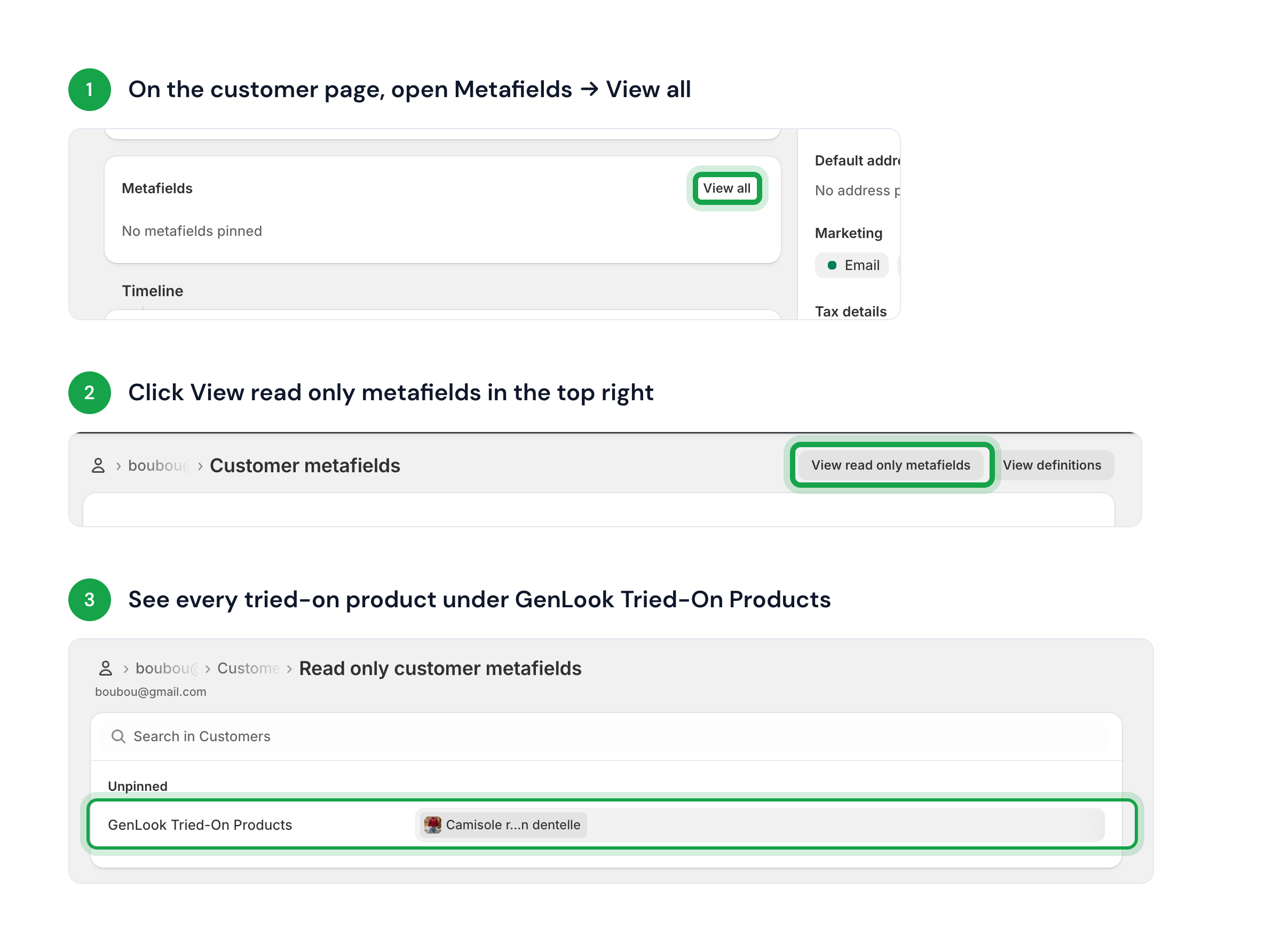
Connect with your favorite tools
Since Genlook writes directly to Shopify, any integration that reads your Shopify customer data will automatically pick up these insights. Here are a few ways merchants use this data:- Klaviyo: Connect directly via OAuth to stream Tried On Product events into Klaviyo — see the Klaviyo guide.
- Email & SMS (Omnisend, Mailchimp): Sync the “Virtual Try-On Users by Genlook” segment to create a dedicated list, or use product-specific tags to trigger personalized follow-up flows.
- Ad Audiences (Meta, Google, TikTok): Export your try-on segment as a custom audience to retarget high-intent shoppers, or use it to build powerful lookalike audiences.
- Reviews & Loyalty (Yotpo, Smile, LoyaltyLion): Use try-on tags to trigger targeted review requests or reward customers with loyalty points for trying on new collections.
- Analytics (Triple Whale, Lifetimely): Combine try-on tags and metafields with your order data to measure how virtual try-on drives conversions.
Order attribution
When a shopper who used Genlook completes checkout, Genlook tags the Shopify order:- Tag
genlook-order— the order came from a try-on user. - Metafield
genlook_try_on_count— lifetime try-on count for that shopper at order time (integer).
_genlook_try_on_count (best-effort; the webhook uses your Genlook database as the source of truth).